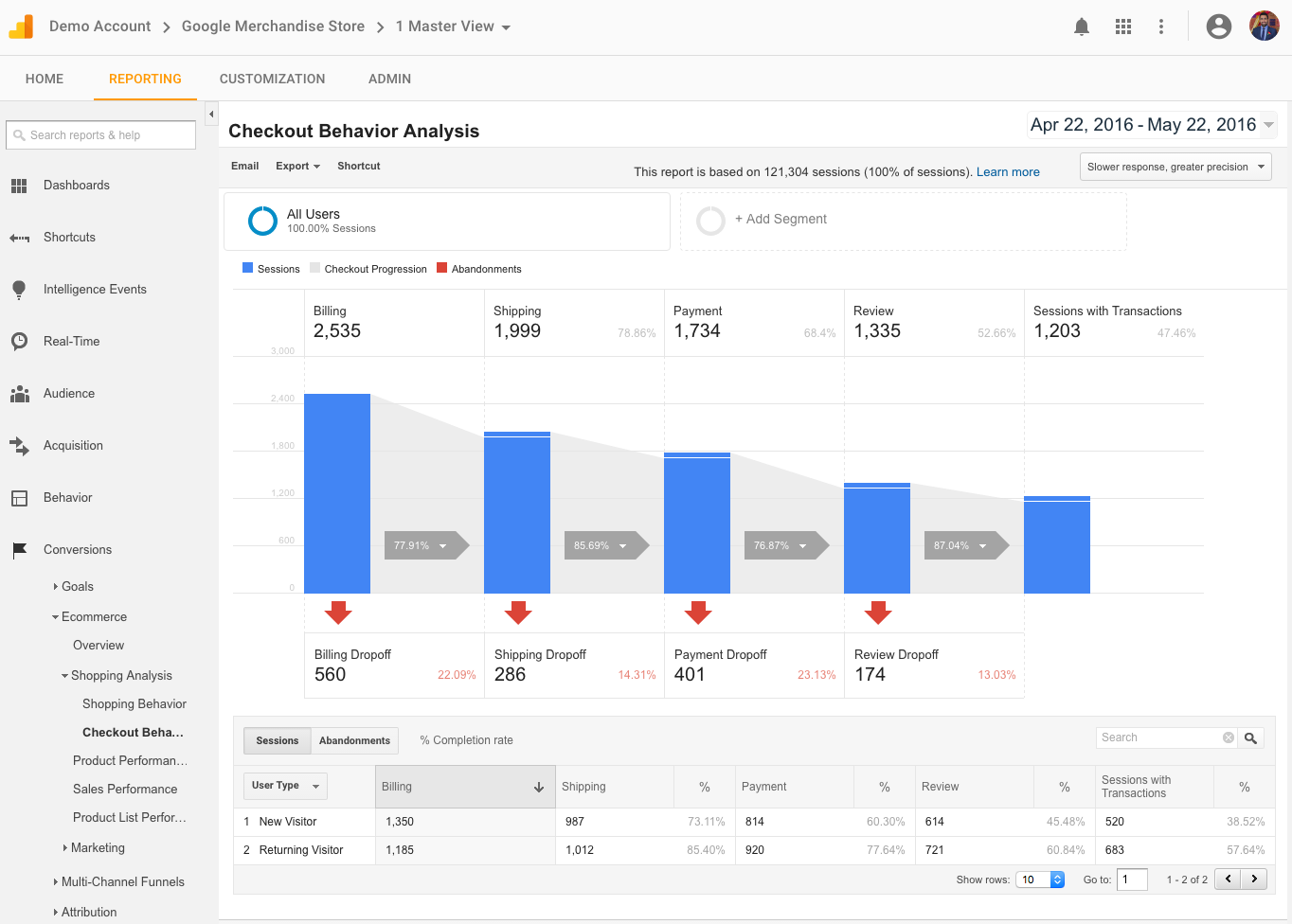
Understanding User Behavior: How Google Analytics Reveals Your Audience's Journey
Understanding user behavior is essential for optimizing your website and tailoring your content to meet your audience's needs. Google Analytics serves as a powerful tool in revealing how users interact with your site, helping you to track their journey from the moment they arrive until they exit. By analyzing metrics such as page views, bounce rates, and average session duration, you can gain valuable insights into what captures your audience's interest. This information allows you to identify popular content, as well as areas that may need improvement, ultimately enhancing user experience and engagement.
Through Google Analytics, you can also segment your audience based on various factors such as demographics, geographic locations, and devices used. This segmentation helps in creating tailored marketing strategies that resonate with different user groups. Furthermore, tracking user pathways, or the sequence of pages visited, reveals the common routes that lead to conversions or drop-offs. By understanding these patterns, you can make informed decisions on content optimization and site navigation, ensuring a smoother journey for your visitors and increasing the likelihood of achieving your business goals.
Key Metrics to Monitor in Google Analytics for Website Success
Monitoring key metrics in Google Analytics is crucial for understanding your website's performance. Here are some essential metrics to keep an eye on:
- Traffic Sources: Understanding where your visitors are coming from can help you focus your marketing efforts effectively.
- Bounce Rate: A high bounce rate may indicate that the landing pages are not engaging enough or relevant to your audience.
- Conversion Rate: This metric represents the percentage of visitors who take the desired action on your site, such as completing a purchase or signing up for a newsletter.
Additionally, monitoring user behavior on your site can provide insight into areas for improvement. Consider tracking:
- Average Session Duration: Longer sessions usually mean that users are finding your content valuable and engaging.
- Pages per Session: This metric indicates how many pages a user visits in a single session, reflecting their interest in your content.
- Goal Completions: Setting up goals in Google Analytics can help you track specific actions you want users to take, providing a clear picture of your website's effectiveness.
How to Set Up Google Analytics: A Step-by-Step Guide for Beginners
Setting up Google Analytics is essential for anyone looking to understand their website's performance and visitor behavior. Follow these steps to get started:
- Create a Google Account: If you don't already have a Google account, you'll need one to access Google Analytics. Simply go to the Google sign-up page and follow the instructions.
- Sign Up for Google Analytics: Once logged in, navigate to the Google Analytics homepage and click on the 'Start for Free' button. This will direct you to the setup interface.
- Set Up Your Account: You'll be prompted to fill in information about your website, including its name, URL, industry category, and reporting time zone.
After your account is created, it’s time to add the tracking code to your website. This code allows Google Analytics to collect data on user interactions. Here’s how to do it:
- Get Your Tracking ID: On the property settings page, you will find your Google Analytics Tracking ID and a piece of JavaScript code.
- Insert the Tracking Code: Copy the tracking code and paste it into the
<head>section of your website's HTML, just before the closing</head>tag. - Verify Your Setup: After placing the tracking code, use the 'Real-Time' reports in Google Analytics to confirm that data is being collected correctly.